What Is Internal Link Building in SEO?
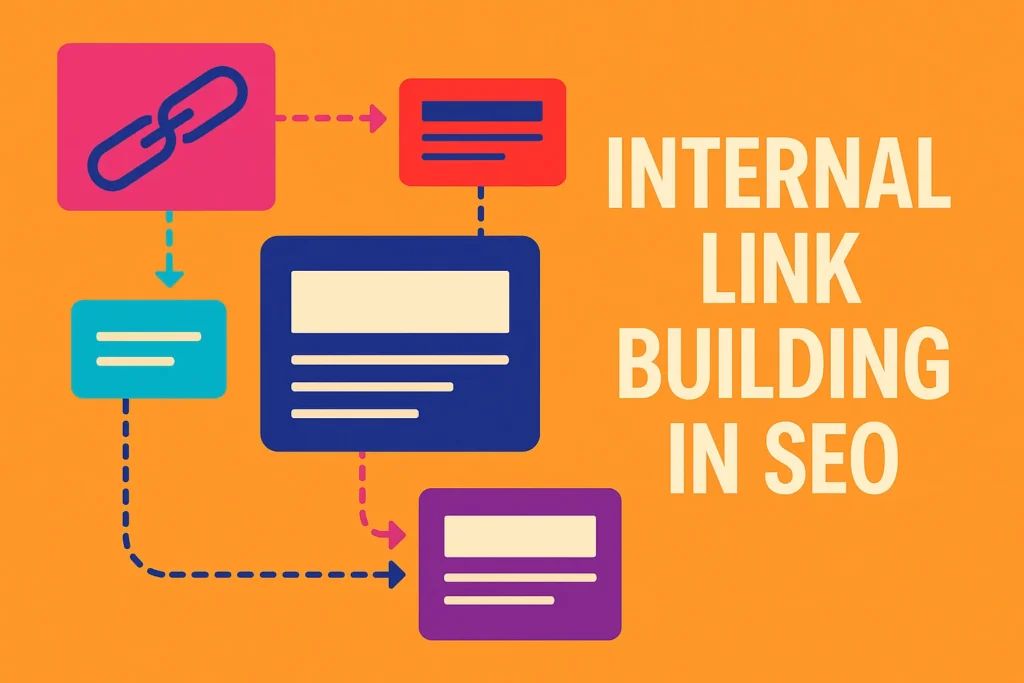
Internal link building in SEO means connecting pages on your website to other pages on the same domain. For example, if you have a blog post about content strategy, and it links to your homepage or another blog post about keyword research, that’s internal linking.
It’s different from external links, which point users away from your site. Internal links help search engines crawl your site better, and they help visitors stay longer by guiding them to related content.
After 10+ years building Vibe Branding into a results-driven digital marketing agency, I’ve seen firsthand how this one technique can change everything. When clients come to us asking why their amazing content isn’t ranking, internal link building is usually the first place we start.
Most of the time, pages aren’t struggling because of poor writing or weak keywords. They’re struggling because they’re stranded—with no links pointing to them.
TL;DR Summary:
- Internal link building in SEO helps Google find and rank your content.
- A strong link structure makes your site easier to navigate.
- Linking related content boosts SEO and user experience.
- Use keyword-rich, descriptive anchor text—don’t overdo it.
- Fix orphan pages and low-performing content with smart linking.
- Tools like Google Search Console, Semrush, and Screaming Frog help audit your strategy.
- Avoid linking mistakes like duplicate anchors and deep crawl depth.
Why Internal Linking Matters for Google and SEO
From Google’s point of view, internal links are like street signs pointing to important places on your site. Without them, Google’s bots get lost.
Your content could be gold, but if it isn’t linked, it might as well be invisible. In my experience, after auditing hundreds of websites, a strong internal linking system is one of the quickest wins for SEO.
Search engines use internal links to determine:
- What content is most important.
- How different topics on your site relate to one another.
- How authority flows across your pages.
Let me give you a quick story. We once worked with a SaaS client who had 80 blog posts, but less than 10% of them were interlinked.
After restructuring their internal link strategy and guiding traffic to their highest-converting landing pages, they saw a 36% jump in organic traffic in under 60 days. That’s the power of good internal link building in SEO.
How Internal Linking Helps User Experience
We don’t just build websites for Google—we build for people. And users love when it’s easy to find related information.
Think about the last time you read a great blog. If you were given helpful links to learn more, you probably stayed longer, right?
That reduced bounce rate tells Google, “Hey, this is good content.” At Vibe Branding, one of our UX principles is to build content that anticipates the next question.
Internal links help with that. If you’re writing about SEO content writing, why not link to a guide about keyword placement?
If someone lands on your page about local SEO, guide them to a case study showing results in that area. This builds trust, boosts dwell time, and leads to conversions.
We once designed a local business website with smart internal linking that made their average time on site double within 3 weeks. That’s not magic; it’s strategic navigation.
Structuring Your Site Like a Pro
Imagine your website like a pyramid. At the top is your homepage.
Beneath that are your main categories. And under those are your blog posts or product pages. Every link should support this pyramid.
Your most important content should be no more than 3 clicks from the homepage. We call this a “shallow crawl depth.”
Over the years, we’ve restructured dozens of client sites using this method. In almost every case, crawl rates and page rankings improved.
For example, a poorly structured eCommerce site we took on had valuable product pages buried six layers deep. After restructuring, their top pages moved up to Page 1 in SERPs within six weeks.
Here’s a sample pyramid layout for SEO:
Level | Page Type | Internal Linking Goal |
1 | Homepage | Link to main categories |
2 | Category Pages | Link to cornerstone or featured content |
3 | Individual Posts | Link to related posts + back to category |
When you structure your links this way, Google understands your content hierarchy. And so do your users.
How Many Internal Links Per Page?
People always ask me: “How many internal links is too many?” Here’s my answer: enough to guide the reader without overwhelming them.
Google can crawl hundreds of links on a page, but just because you can doesn’t mean you should. Our rule of thumb is between 3 to 10 high-quality, relevant internal links per page.
What matters most is relevance and clarity. A good internal link should:
- Fit naturally in the content
- Lead to something valuable
- Use meaningful anchor text
When in doubt, less is more. Focus on quality, not quantity.
We use heatmaps at Vibe Branding to track where people click, and well-placed links always outperform link-dumps or long lists.
The Right Way to Use Anchor Text
Anchor text is the clickable part of the link. It tells Google and users what to expect.
I recommend using descriptive, keyword-rich anchor text that fits naturally into your sentence. Don’t stuff keywords.
Google has evolved. For example, instead of writing “click here,” say something like “read our SEO content checklist.”
Also, mix it up. If you’re always linking to your “local SEO guide” with the same anchor text, it can start to look spammy.
Use variations like “improving local rankings” or “optimize for local search.” One mistake we fixed on a client’s site was having 20+ links all using the same anchor for different pages.
Google couldn’t tell which one was most important. Once we diversified the text and clarified the content purpose, rankings normalized and improved.
Avoid this mistake: don’t link to different pages using the same anchor. It confuses Google and frustrates users.
Identifying and Fixing Orphaned Pages
An orphan page is a page on your site that has no internal links pointing to it. That means Google might not find it, and users definitely won’t unless they have the direct URL.
This is one of the biggest silent killers of SEO performance. We fixed this for a nonprofit client whose event pages were hidden from their main site.
After linking to those from their blog posts and homepage, their event sign-ups grew by 300%. Here’s how we handle orphan pages at Vibe Branding:
- Use Google Search Console or Screaming Frog to find pages with 0 inbound links.
- Make sure the content is still useful and up to date.
- Add 1-2 internal links from high-traffic pages to those orphaned ones.
- Consider adding them to your sitemap or menus if relevant.
You spent time making that page. Don’t let it disappear.

Tools We Use for Internal Link Building in SEO
When we audit a client’s internal linking, we use a mix of manual checks and SEO tools. Here are some of our favorites:
- Google Search Console: Shows internal links by page
- Screaming Frog: Great for visualizing crawl depth and orphan pages
- Semrush or Ahrefs: Excellent for authority flow and internal link tracking
- Yoast SEO (for WordPress users): Suggests related content to link
- Link Whisper: Adds internal links at scale (if you use WordPress)
We don’t rely on automation alone. These tools give us data, but strategy comes from experience.
Every recommendation we make is guided by human insight and 10 years of tested practice.
Common Internal Linking Mistakes to Avoid
Just because internal link building in SEO is simple doesn’t mean it’s easy. We’ve seen countless businesses get this wrong.
Here are some common traps we help clients avoid:
- Using the same anchor for multiple pages. This confuses search engines.
- Over-optimizing with exact match anchors. It looks spammy and outdated.
- Burying important pages deep in the site. Keep crawl depth shallow.
- Adding internal links just for the sake of it. Relevance always matters.
- Forgetting to update links when URLs change. This leads to broken paths.
Our internal process at Vibe Branding includes a quarterly internal link audit for all ongoing SEO clients. You’d be amazed how much cleanup we catch – broken links, outdated URLs, or even duplicate content with conflicting anchor strategies.
Measuring the Success of Your Internal Linking Strategy
So how do you know it’s working? At Vibe Branding, we don’t guess—we track.
First, we look at crawl depth. Tools like Screaming Frog help visualize this.
Then, we check indexation. Are more of your pages getting picked up in Google Search Console?
That’s a great sign. We also measure engagement: lower bounce rate, more pages per session, and higher dwell time are positive signals.
If your internal link building in SEO is helping users stick around, you’re doing something right. Another key metric?
Keyword rankings. When you point internal links toward underperforming but important pages, you can give them a lift.
We’ve seen target keywords climb 5 to 10 positions just from smart internal linking. No backlinks needed.
Lastly, track conversion paths. Use Google Analytics or GA4 to see how internal links help users move toward signup, purchase, or contact actions. Internal linking isn’t just for SEO—it’s for revenue, too.
Final Thoughts: Make Internal Linking a Habit
Internal link building in SEO is one of the most underused and undervalued strategies in digital marketing. It doesn’t cost you anything.
It doesn’t require a fancy tool. And yet, it drives incredible results.
If there’s one thing I’ve learned after more than a decade building Vibe Branding, it’s this: SEO wins come from consistent action. Set a habit to update your internal links monthly or quarterly.
Use internal linking to connect your content like a story—one post supporting the next. That’s what builds authority, trust, and traffic over time.
And if you’re ever unsure whether your strategy is on point, don’t hesitate to reach out. We’re always happy to do an audit and help fine-tune your content structure.
Internal links might be hidden behind the scenes, but the results they deliver? Impossible to miss.